



Computer Vision Software for Robotics: What It Does and How to Choose the Right Program
- May 14
- 5 min read
A robot arm without vision software is a machine that can only do exactly what it has been told, moving to coordinates that never change. Add a computer vision program, and the robot can see its environment, adapt to variation, and make decisions in real time.
That shift, from fixed motion to adaptive intelligence, is what separates a robot that works in a demo from one that works reliably on a production floor. And the software is where that shift happens.
This post covers what computer vision software actually does in a robotics context, what separates capable programs from ones that underperform in production, and how Blue Sky Robotics approaches vision for its cobot deployments.
What Computer Vision Software Does in a Robotics System
Computer vision software is the layer between the camera and the robot controller. The camera captures an image or depth scan of the scene. The software processes that data, identifies what it is looking at, calculates relevant coordinates or measurements, and passes instructions to the robot.
In practice, this covers several distinct tasks depending on the application:
Object detection and localization: Finding a specific part in a bin, on a conveyor, or in a tray and determining its exact position in 3D space
Pose estimation: Calculating the orientation of an object so the robot knows which way to approach it for a reliable grasp
Quality inspection: Comparing a part or product against a reference to detect defects, dimensional errors, or missing components
Guidance and path adjustment: Updating the robot's motion path in real time based on where objects actually are rather than where they are expected to be
Each of these tasks requires a different architecture within the software, which is why general-purpose programs often underperform when deployed in specialized manufacturing environments.
What Separates Good Computer Vision Programs from Unreliable Ones
The failure mode for computer vision software is not usually dramatic. It is gradual and inconsistent. A system that achieves 97% accuracy in testing drops to 82% on the production floor because the lighting changed, the parts came from a different supplier with a slightly different finish, or the camera angle shifted by two degrees.
The gap between demo performance and production reliability is the central challenge of vision software for robotics. Here is what separates programs that hold up from ones that do not.
Training on Real Production Data
Vision models trained on ideal images fail when they encounter the variation of a real factory or warehouse environment. Capable software is trained on images captured in the actual deployment environment under real conditions.
3D Depth Sensing, Not Just 2D Cameras
A standard 2D camera image loses depth information entirely. Programs built on 3D depth cameras can determine object height, stacking depth, and orientation in all three axes, which is essential for bin picking, palletizing, and any application where parts are not perfectly flat.
Adaptability to Material Properties
Shiny metal parts, black rubber components, and transparent plastics all behave differently under a camera. Computer vision programs that handle only one material type reliably are not production-ready across a real parts catalog.
Integration Without Custom Middleware
The best vision programs communicate directly with the robot controller without requiring a separate integration layer, custom API development, or a dedicated software engineer to maintain the connection.
How Blue Sky Robotics Approaches Computer Vision Software
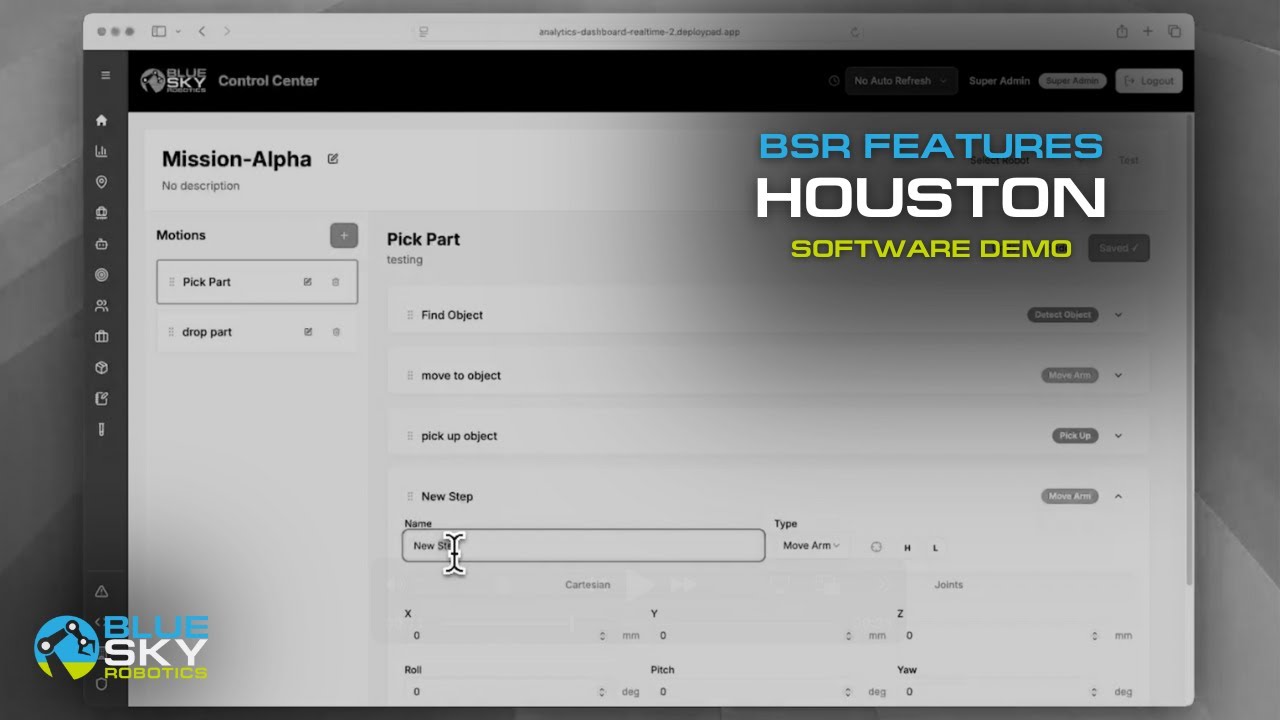
Blue Sky Robotics builds computer vision directly into its automation software platform rather than treating it as a separate add-on. The result is a single integrated system where vision, mission building, and robot control operate together.
The platform uses Intel RealSense depth cameras for 3D object detection and supports training on customer-specific parts and environments. A vision model trained on images of your actual parts, under your actual lighting conditions, in your actual facility will consistently outperform a generic model applied to an unfamiliar environment.
Key capabilities of the Blue Sky Robotics computer vision program include:
Object detection and pose estimation for pick and place, bin picking, and machine tending
Vision-based quality inspection with pass/fail logic built into the mission workflow
Real-time guidance that adjusts robot motion based on where parts actually are rather than where they are expected to be
Analytics dashboard for monitoring pick accuracy, cycle times, and system performance across shifts
To explore the full computer vision offering, visit Blue Argus.
Which Applications Need Computer Vision Software?
Not every robotic deployment requires a vision program. Fixed-position pick and place, where parts always arrive in the same spot, can run reliably on taught positions without any camera system. But as soon as variation enters the picture, vision becomes necessary.
Applications that consistently require computer vision software:
Bin picking: Parts arrive in random orientations and positions. Vision is the only way to reliably locate and grasp them.
Flexible pick and place: Mixed SKUs, variable packaging, or parts that arrive inconsistently on a conveyor
Quality inspection: Any application where the robot needs to evaluate whether a product meets a specification
Depalletizing: Incoming pallets where case positions vary layer by layer
Applications that can often run without vision:
Fixed-position machine tending where parts are always presented in a jig or fixture
Palletizing where cases arrive consistently from a conveyor at a known position
Assembly tasks with rigid, repeatable fixturing
If you are not sure whether your application needs a computer vision program, the Automation Analysis Tool can help you evaluate the requirements, or you can book a live demo to see vision-guided automation running on a real use case.
The Cobot Arms That Work with Blue Sky Robotics Vision Software
Blue Sky Robotics' computer vision program is designed to work with the full Fairino and UFactory lineup. For vision-guided applications, here are the arms most commonly deployed.
The Fairino FR5 ($6,999) is the most popular choice for vision-guided pick and place and bin picking, with a 5 kg payload and 917 mm reach suited to most light industrial applications.
The Fairino FR10 ($10,199) steps up to 10 kg payload and 1,300 mm reach for heavier parts or larger work envelopes where vision guidance is still required.
For operations that need vision across a full product lineup, the Cobot Selector matches the right arm to your payload and reach requirements.
Conclusion
Computer vision software is not a nice-to-have for robotic automation. For any application involving variable parts, mixed SKUs, or unstructured environments, it is the difference between a system that works and one that requires constant operator intervention.
Blue Sky Robotics integrates vision directly into its automation platform, trained on real parts in real environments and built to work without custom middleware. Explore Blue Argus to learn more, or shop the full robot lineup to find the right arm for your vision-guided application.
Frequently Asked Questions
What is computer vision software for robotics?
Computer vision software processes camera or depth sensor data to identify objects, determine their position and orientation, and pass instructions to a robot arm. It is what allows a robot to adapt to variation rather than following fixed, pre-programmed paths.
What is the difference between a computer vision program and machine vision?
Machine vision typically refers to rule-based systems used for inspection and measurement in controlled conditions. Computer vision is a broader term that includes AI and deep learning, enabling more flexible object recognition across variable environments.
Do I need computer vision software for my robotic deployment?
It depends on whether your parts arrive consistently. Fixed-position applications with rigid fixturing often do not need vision. Bin picking, flexible pick and place, quality inspection, and depalletizing generally require a vision program to work reliably.
What computer vision software does Blue Sky Robotics use?
Blue Sky Robotics builds computer vision into its automation platform via Blue Argus, using Intel RealSense depth cameras and models trained on customer-specific parts and environments. The program integrates directly with Fairino and UFactory robot arms.

