



Machine Vision Software: The Layer Between the Camera and the Robot
- Apr 6
- 5 min read
Updated: Apr 13
Most conversations about robot vision focus on the camera. Which sensor technology, which resolution, which mounting configuration. The camera gets most of the attention because it is the most visible component and the one with the most marketing behind it.
But the camera is only half the system. A 3D camera producing a point cloud of a bin full of parts delivers raw spatial data. That data does nothing on its own. Before the robot arm can act on it, something has to interpret the point cloud, identify individual parts within it, calculate grasp candidates, select the best one, and translate that decision into motion commands the robot controller understands. That something is machine vision software.
For manufacturers evaluating vision-guided cobot deployments, understanding what machine vision software does and what to look for in it is just as important as choosing the right camera. This post covers both.
What Machine Vision Software Actually Does
Machine vision software sits between the camera output and the robot controller. It performs a series of processing steps that transform raw image or depth data into actionable commands. Those steps vary by application, but in a typical robot guidance scenario they include the following.
Image acquisition and preprocessing. The software receives the raw image or point cloud from the camera, applies filtering to reduce noise, corrects for lens distortion, and normalizes lighting variation. This preprocessing step has a significant impact on downstream accuracy: a poorly preprocessed image produces unreliable object detection regardless of how sophisticated the detection algorithm is.
Object detection and localization. The software identifies objects of interest within the scene. In 2D applications this typically means pattern matching or feature detection against a trained template. In 3D applications it means fitting known object geometries against the point cloud to identify where each part is in three-dimensional space, including its position and orientation. This is the step where AI and deep learning have made the most significant recent advances, enabling systems to handle objects they have not been explicitly programmed to recognize.
Grasp planning. Given the detected object position and orientation, the software calculates valid grasp points: locations on the object surface where the robot's end-of-arm tool can make secure contact without colliding with surrounding objects or the bin walls. For simple applications with consistent parts, this can be rule-based. For complex bin picking with varied parts and orientations, AI-driven grasp planning adapts to configurations the system has never seen before.
Robot communication. The software translates the selected grasp plan into motion commands in a format the robot controller understands. This is where compatibility between the vision software and the specific robot platform matters. Proprietary vision systems often lock buyers into a single robot brand. Open software platforms that communicate over standard protocols (ROS2, TCP/IP, MODBUS) work with any robot arm that supports those interfaces.
Exception handling. Not every cycle produces a valid grasp candidate. Parts may be stacked in a way that blocks all accessible grasp points, or the camera may return a low-confidence scan. Machine vision software defines what happens in those cases: does the robot attempt a secondary scan, request human intervention, or skip to the next cycle? How robustly this is handled determines whether a vision-guided cell runs unsupervised or needs constant attention.
The Gap Most Buyers Do Not See Until Deployment
The failure mode that surprises manufacturers most in their first vision-guided deployment is not the camera or the robot arm. It is the integration between them.
A camera from one vendor, a robot from another, and vision software from a third party creates three separate interfaces that must be configured to work together, maintained as each component is updated, and debugged when something breaks at one of the handoffs. For manufacturers without in-house automation engineers, this integration complexity is where deployments stall.
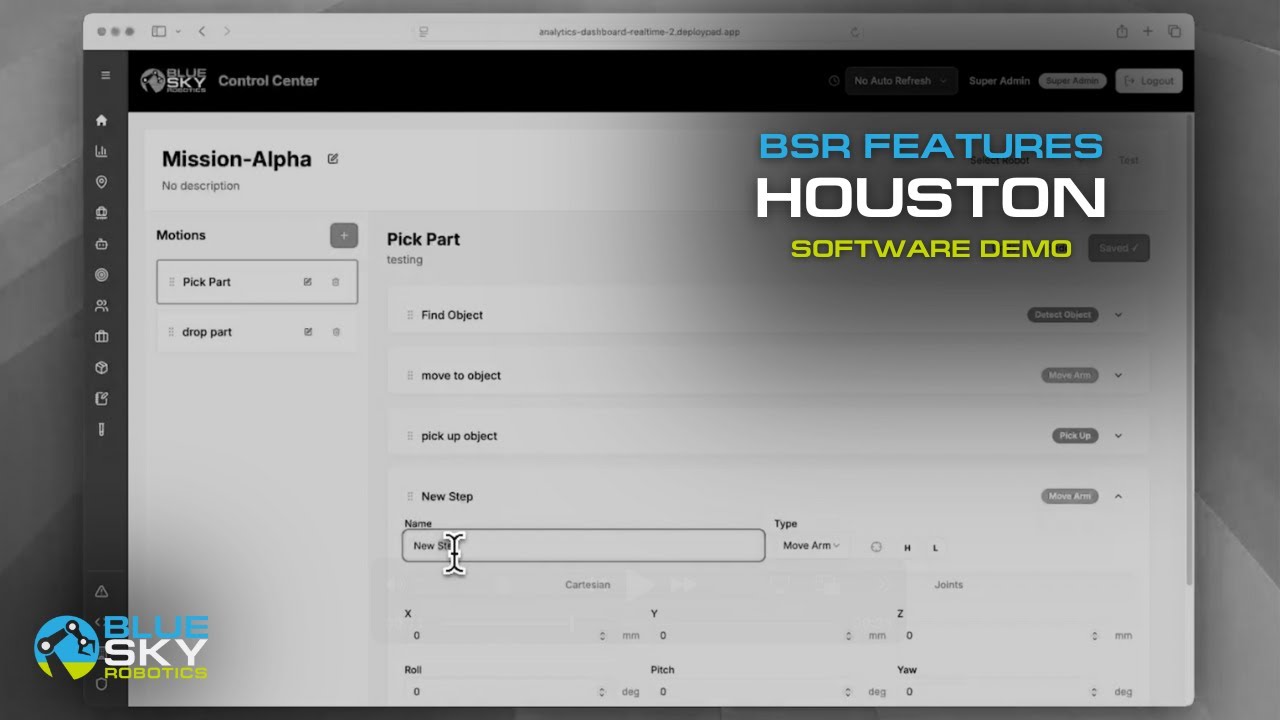
The alternative is a platform where the vision software, robot control logic, and mission sequencing are developed to work together from the start, without requiring custom integration work at each layer. This is what Blue Sky Robotics' automation software is built to provide: computer vision capabilities, pick-and-place mission logic, and workflow sequencing in a single platform designed specifically for UFactory and Fairino deployments. The camera talks to the software. The software talks to the robot. The manufacturer configures the task, not the plumbing.
What to Look for When Evaluating Machine Vision Software
Not every deployment needs the same software capabilities. Here is what to evaluate based on your specific application.
Object variability. If your parts are identical and arrive in consistent orientations, rule-based detection and template matching is sufficient and avoids the setup overhead of AI training. If parts vary in size, material, or orientation, AI-based detection that adapts to variation is worth the additional cost and setup time.
Open vs. proprietary architecture. Vision software that only works with one camera brand or one robot brand limits your options as you scale. Open platforms that integrate via ROS2, Python SDK, or standard industrial protocols give you flexibility to change hardware without rebuilding the software layer.
Exception handling depth. Ask specifically how the software handles failed picks, low-confidence detections, and empty bin conditions. A system that halts and waits for operator intervention on every exception is not running lights-out. One that handles exceptions gracefully and logs them for review is.
Calibration and setup complexity. Hand-eye calibration, camera registration, and coordinate system alignment are one-time setup tasks, but they are also where first deployments frequently lose weeks. Software that provides guided calibration workflows and visual verification of calibration accuracy significantly reduces first-deployment friction.
Machine Vision Software Paired with the Right Robot
Machine vision software delivers its value through the robot arm it guides. Matching the software capability to the right arm for the payload and application is the final step.
The UFactory Lite 6 ($3,500) is the natural entry point for vision-guided tabletop applications. It supports ROS2 and Python SDK integration with standard vision pipelines and has an active open-source community building vision-guided grasping demonstrations.
The Fairino FR5 ($6,999) and Fairino FR10 ($10,199) handle production-level bin picking and machine tending where the vision software needs to manage real-world part variation reliably across multiple shifts.
The Fairino FR16 ($11,699) and Fairino FR20 ($15,499) cover the heavy-end applications: depalletizing with real pallet variation, high-payload bin picking, and end-of-line material handling where the vision software coordinates with overhead cameras covering large work envelopes.
Getting Started
The Cobot Selector matches the right robot to your payload and use case. The Automation Analysis Tool returns real numbers on feasibility and payback for your specific application. And if you want to see machine vision software and a robot arm working together on a real task before committing to hardware, book a live demo with the Blue Sky Robotics team. To learn more about computer vision software, visit Blue Argus.
The camera shows the robot where things are. The software decides what to do about it.


